




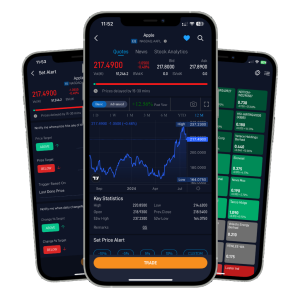


Simply download our POEMS MY App on App Store/Google Play Store and sign up as a registered user using your mobile number or email address.
For sign-ups using mobile number:
Step 1 Step 2 Step 3 Step 4

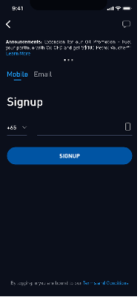
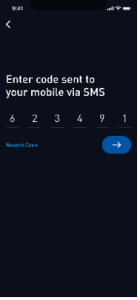
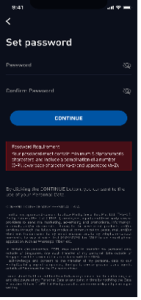
Step 1: Launch POEMS MY App and select the ‘SIGNUP’ button
Step 2: Enter your mobile number based on your country code
Step 3: Enter the code sent to your mobile via SMS for verification
Step 4: Set your password to register
For sign-ups using an email address:
Step 1 Step 2 Step 3 Step 4

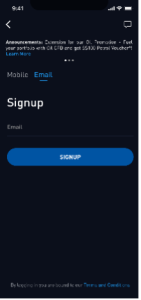
Step 1: Launch POEMS MY App and select the ‘SIGNUP’ button
Step 2: Enter your Email Address
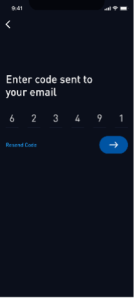
Step 3: Enter the code sent to your email address for verification
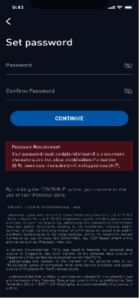
Step 4: Set your password to register
| Markets | Exchanges |
| Singapore | SGX |
| Malaysia | BURSA |
| United States (US) | NYSE, NASDAQ, AMEX |
| Hong Kong | HKEX |
POEMS MY offers the following features:
- TradingView charting
- Access to multi-market
- Real-time price quotes*
- Customisable watchlists
- Alerts
- News
- Market overview
Deposit money on POEMS MY App to enjoy faster trading limit update as per below:
- Go to ‘Me’ on the shortcut bar
- Select ‘FPX Payment’
The Malaysian Ringgit (MYR) is the only supported currency for FPX deposits
POEMS MY App offers the following order types:
- Limit Order
- Good-Till-Date (GTD)
POEMS MY offers the following validities:
- Day Order
- Good-Till-Date (GTD)
There are two methods to find your portfolio. You can either head to the ‘Me’ Tab > Select ‘Portfolio’ or head to the ‘Trade’ Tab > Select ‘Positions’ > Select ‘Holdings’.
There are two methods to find your outstanding positions.
You can either head to the ‘Me’ Tab > Select ‘Outstanding Positions’ or head to the ‘Trade’ Tab > Select ‘View Details’ > Select ‘Outstanding Positions’ Tab.
- Go to ‘Me’ on the shortcut bar
- Select ‘Settings’
- Select ‘General’
- Select ‘Theme’ > select the theme colour that you desired (dark or light)
Yes, to change your password, simply follow the steps below:
- Go to ‘Me’ on the shortcut bar
- Select ‘Settings’
- Select ‘Account & Security’
- Select ‘Change Password’
Kindly note that the change of password will apply to all of your POEMS platform access.
To log out from POEMS MY, simply follow the steps below:
- Go to ‘Me’ on the shortcut bar
- Select ‘Settings’
- Select ‘Logout’
POEMS MY App is supported on iOS and Android smartphone devices:
- iOS 15.0 or later
- Android 5.0 or later
Yes, as long as there is internet connection on your mobile phone, you can access POEMS MY. Internet connection can be via high speed mobile connection (i.e. 4G/5G) or Wi-Fi. Please check with your telecommunication service provider for the applicable roaming charges when you are overseas.
If you require assistance to navigate POEMS MY, please do not hesitate to call us at 03-2783 0388.
You may change your session timeout via Settings > Account & Security > Session Timeout.