




NOVA
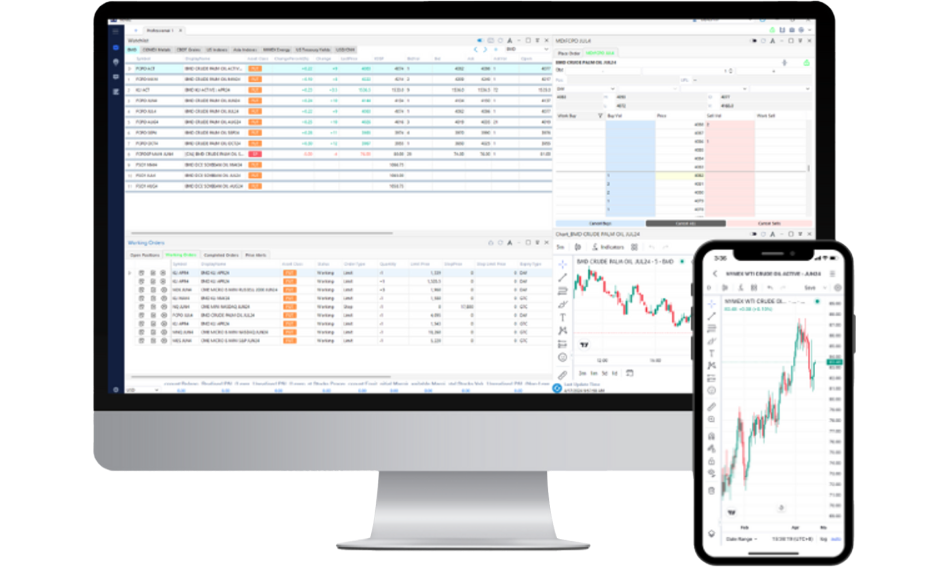
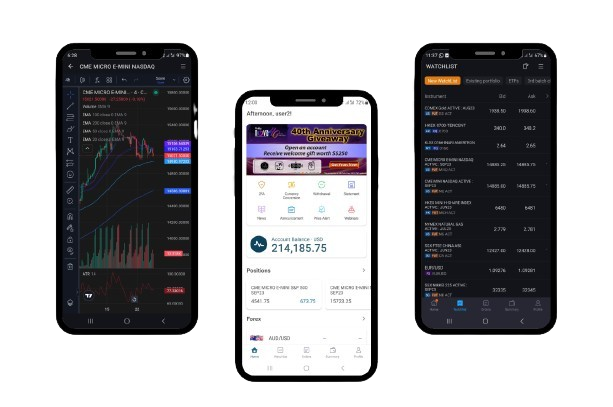
Equipped with over 100 technical indicators, live charts and a Market Depth Trading Tool, NOVA is your ideal trading companion.
Complete Trading Solutions
Why Trade with NOVA?
-
Intuitive Interface
User-friendly interface, highly mobile responsive and fully customisable desktop trading layout -
Complete Trading Solutions
Options trading, calendar spread and market depth tools available
-
Comprehensive Tools and Features
Experience fast and responsive live charts powered by TradingView, featuring over 100 technical indicators -
Multi Asset-Class Support
Access to more than 15 global exchanges all in one platform with no platform fee
The NOVA Suite
NOVA
Charting powered by TradingView
- Gain access to over 100 technical indicators
Market Depth
- View liquidity and tradesfor a particular price in the market easily
Set Price Alerts
- Never miss a trading opportunity
True multi-asset trading of global products
- Trade Futures, US Stocks, ETFs, CFDs and Precious Metals
Comes with light & dark modes
- Gain better focus with your preferred mode
![]()
NOVA.I can assist you with
⭐ Market analysis and Q&A
Ask about market trends, economic data, or specific stocks — NOVA.I will do its best to provide helpful insights.
Trading ideas
Get trading inspiration based on market conditions, technical indicators, and your own queries.

⭐ Learning on demand
Curious about different trading strategies or financial instruments? NOVA.I can help break it down, anytime you ask.
NOVA User Guide
View our user guides to trade more effectively with NOVA now.
How to download and login to Phillip Nova 2.0 (Part 1)
How to add contracts & manage your watchlist (Part 2)
How to place trades and manage your orders (Part 3)
How to add indicators to a chart and save as template (Part 4)
Frequently Asked Question
Visit NOVA and use your registered User ID and password in email. If you’ve forgotten your login, use the “Forgot Password” feature or contact support.
Yes! You can download the NOVA mobile app from the App Store or Google Play.
NOVA comes with its own built-in charting tools with the same charting UI as TradingView. Besides, with a premium subscription, you can also link your account to TradingView for both advanced chart analysis and trade execution, however clients must purchase the live market data from Tradingview as Tradingview manages their own live market data feed.
You can deposit funds via bank transfer to our trust account, followed by emailing the bank-in slip to our Dealing team or your branch’s dealer representative.
During business hours (9 AM – 6 PM), deposits are typically reflected within 30 minutes of receiving your bank-in slip.
Need a user-guide that is not here yet?
Simply send us an email via
pcsb_enquiry@phillipcapital.com.my to make a request.
For any other query, you may contact our Client Service Desk at
03-27830388 or email pcsb_enquiry@phillipcapital.com.my